Generating a customizable CLI from your API spec should take a single click.
Existing generators are not enough.
That’s why I built cli-wizard!

An OpenAPI spec describes an API, and that is all well-established generators, such as OpenAPI Generator, need to generate a CLI that calls it.
However, those generators were not enough for one of my personal projects. I wanted a customizable CLI, with a user experience like the AWS CLI, coming with its own documentation, tests, and packaged for immediate release on PyPI.
That is why I built cli-wizard. Give it a try
pip install cli-wizard
Check out the official documentation to learn more. If you want it to do more, please file a feature request.
Bootstrap
You can bootstrap your project even before having an API spec:
cli-wizard bootstrap --project-name "My CLI" --configuration my-config.yaml
The command generates:
- a config file
my-config.yamlcontaining the full configuration, with every customization parameter available already listed at its default value, ready to be customized. - A CLI ready to release, with a command to configure itself, its documentation, tests, and packaging.
The result is a functional CLI ready to be released:
$ my-cli --version
my-cli, version 1.0.0

$ my-cli --help
Usage: my-cli [OPTIONS] [COMMAND] [ARGS]...

  Operations CLI for My API

Options:
  --version                       Show the version and exit.
  -p, --profile TEXT              Profile name to use.
  -d, --debug                     Enable debug output.
  -u, --base-url TEXT             API base URL.
  --no-verify-ssl                 Disable SSL certificate verification.
  --ca-file FILE                  CA certificate file for SSL verification.
  --timeout INTEGER               Seconds to wait for a response, overriding
                                  the timeout setting.
  -H, --header HEADER             Extra request header as 'Name: value'.
                                  Repeatable.
  -o, --output [json|table|yaml]  Output format, overriding the outputFormat
                                  setting.
  --help                          Show this message and exit.

Commands:
  config  Configure the CLI.
Add your API
Let’s consider a simple API:
openapi: 3.0.0
info: { title: Users API, version: 1.0.0 }
paths:
  /users:
    get:
      operationId: describeUsers
      summary: Describe the users matching a search criteria
      tags: [Users]
      parameters:
        - name: search
          in: query
          description: Name or email of the users to describe
          schema: { type: string }
Regenerate the CLI:
cli-wizard generate --api openapi.yaml --configuration my-config.yaml
Et voilà:
$ my-cli config set --profile my-profile --param accessToken --value my-token
2026-10-13T02:52:11 [INFO] Set 'accessToken' = '***' in profile 'my-profile'
{
  "key": "accessToken",
  "value": "my-token",
  "oldValue": null
}

$ my-cli users describe-users --search ada --profile my-profile --debug
2026-10-13T02:52:12 [DEBUG] Loaded profile 'my-profile'
2026-10-13T02:52:12 [DEBUG] Executing command 'users describe-users' with params: {'search': 'ada'}
2026-10-13T02:52:12 [DEBUG] Request: GET http://localhost:3000/users
2026-10-13T02:52:12 [DEBUG] Params: {'search': 'ada'}
2026-10-13T02:52:12 [DEBUG] Headers: {'User-Agent': 'my-cli/1.0.0 (cli-wizard)', 'Accept-Encoding': 'gzip, deflate, zstd', 'Accept': 'application/json', 'Connection': 'keep-alive', 'Authorization': '***'}
2026-10-13T02:52:12 [DEBUG] Response: 200 OK
2026-10-13T02:52:12 [DEBUG] Response Headers: {'Server': 'BaseHTTP/0.6 Python/3.14.2', 'Date': 'Tue, 13 Oct 2026 02:52:12 GMT', 'Content-Type': 'application/json', 'Content-Length': '64'}
2026-10-13T02:52:12 [DEBUG] Response Body: [{"id": 42, "name": "Ada Lovelace", "email": "ada@example.com"}]
2026-10-13T02:52:12 [DEBUG] Command 'users describe-users' completed with output: [{"id": 42, "name": "Ada Lovelace", "email": "ada@example.com"}]
[
  {
    "id": 42,
    "name": "Ada Lovelace",
    "email": "ada@example.com"
  }
]
When the API changes, you regenerate the CLI.
Documentation
The generated README documents the CLI: a quick start, every command with its options, the exit codes, the settings with their defaults, and how authentication works.
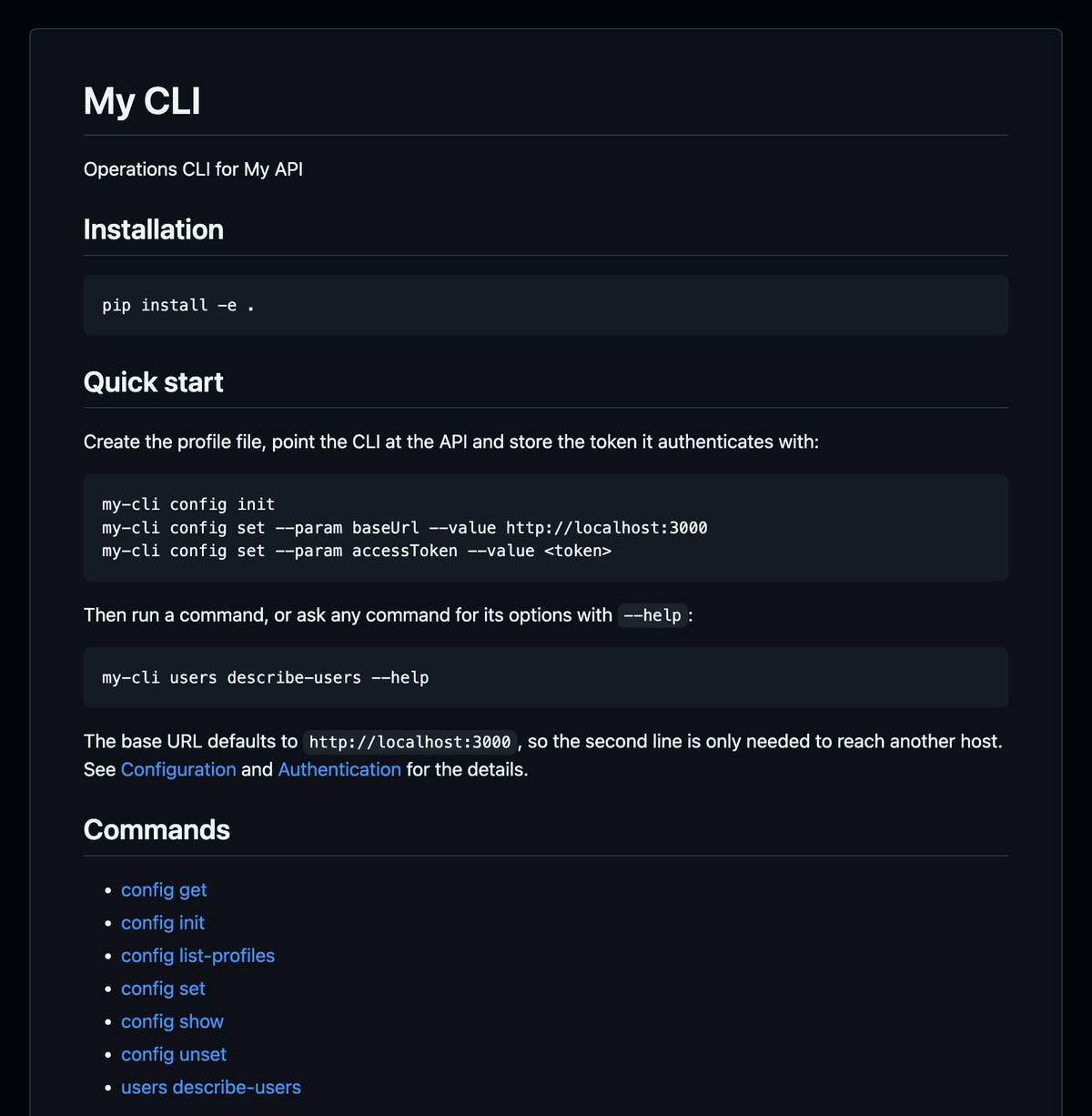
The project also comes with Sphinx documentation in docs/, covering installation, every command with its options, the settings, authentication, and the exit codes.
make build-docs builds it, and with IncludeGithubWorkflows: true a workflow publishes it to GitHub Pages.
Release
The CLI is already packaged to be released to PyPi. Doing it takes a build and an upload:
$ cd my-cli
$ pip install -e . --group dev
$ make build
python -m build
* Creating isolated environment: venv+pip...
...
Successfully built my_cli-1.0.0.tar.gz and my_cli-1.0.0-py3-none-any.whl

$ twine check dist/*
Checking dist/my_cli-1.0.0-py3-none-any.whl: PASSED
Checking dist/my_cli-1.0.0.tar.gz: PASSED

$ twine upload dist/*
With IncludeGithubWorkflows: true,
the project also ships GitHub workflows to bump the version and publish to PyPI.
Customize
cli-wizard exposes a bunch of customizations: command grouping, splash screen, logging format, colors, how requests are sent to the API, GitHub workflows, and more. Check out the full set of parameters in the parameter reference. Here is a snippet to show you some of those customizations:
# Project
ProjectName: "My CLI"
CommandName: "my-cli"
PackageName: "my_cli"
Description: "Operations CLI for My API"
Version: "1.0.0"
AuthorName: "Ada Lovelace"
AuthorEmail: "ada@example.com"
GithubUser: "ada"
PythonVersion: "3.12"
CopyrightYear: 2026
RepositoryUrl: "https://github.com/ada/my-cli"
HomePageUrl: "https://ada.github.io/my-cli"

# API and requests
Api: "openapi.yaml"
DefaultBaseUrl: "https://api.example.com"
Timeout: 10
RetryMaxAttempts: 5
RetryBackoffFactor: 0.5
CaFile: "resources/ca-chain.pem"

# Which operations become commands
IncludeTags: ["Users"]
ExcludeTags: []
IncludeOperations: []
ExcludeOperations: []

# What they are called
TagMapping:
  Users: "user"

# How responses print
OutputFormat: "table"
OutputColors: true
JsonIndent: 4
TableStyle: "rounded"
SplashFile: "resources/splash.txt"
SplashColor: "#00FFFF"

# Where the CLI keeps its state, with references between parameters
MainDir: "${HOME}/.#[CommandName]"
ProfileFile: "#[MainDir]/profiles.yaml"

# Logging
LogLevel: "WARNING"
LogFormat: "%(asctime)s %(levelname)s %(name)s: %(message)s"
LogTimestampFormat: "%Y-%m-%d %H:%M:%S"
LogTimezone: "Local"
LogColorStyle: "full"
LogColorDebug: "#808080"
LogColorInfo: "#00FF00"
LogColorWarning: "#FFA500"
LogColorError: "#FF0000"
LogFile: "#[MainDir]/logs/my-cli.log"
LogRotationType: "days"
LogRotationDays: 7
LogRotationSize: 10                  # applies when LogRotationType is "size"
LogRotationBackupCount: 4

# Tests and packaging
CoverageThreshold: 90
IncludeGithubWorkflows: true